Please scroll to the bottom of this article and download the document “DRM and Solis Inverters” for a clear explanation of DRM capabilities.
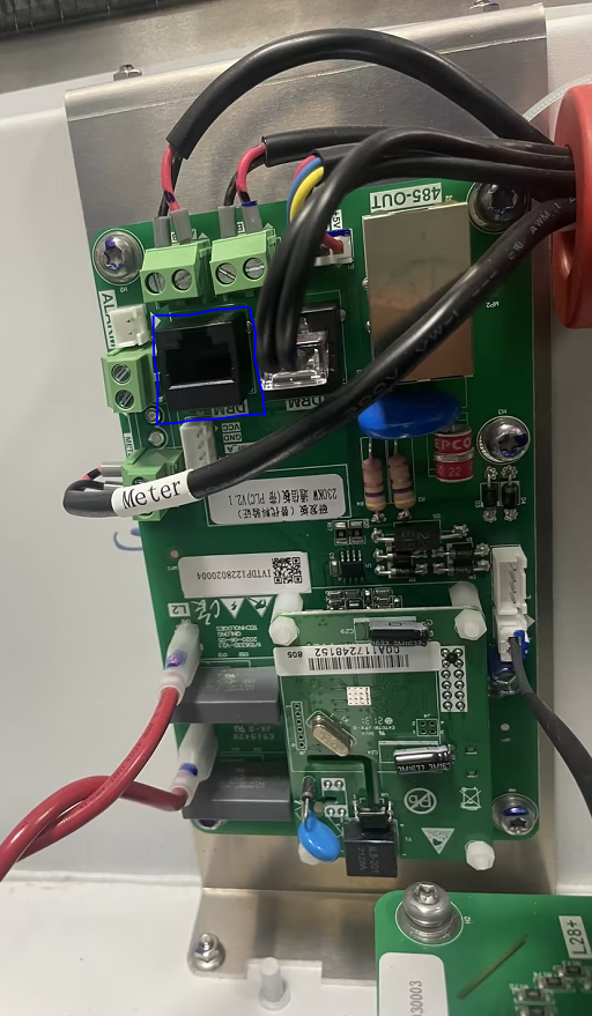
Step 1. Find the COM board inside the cabinet as below
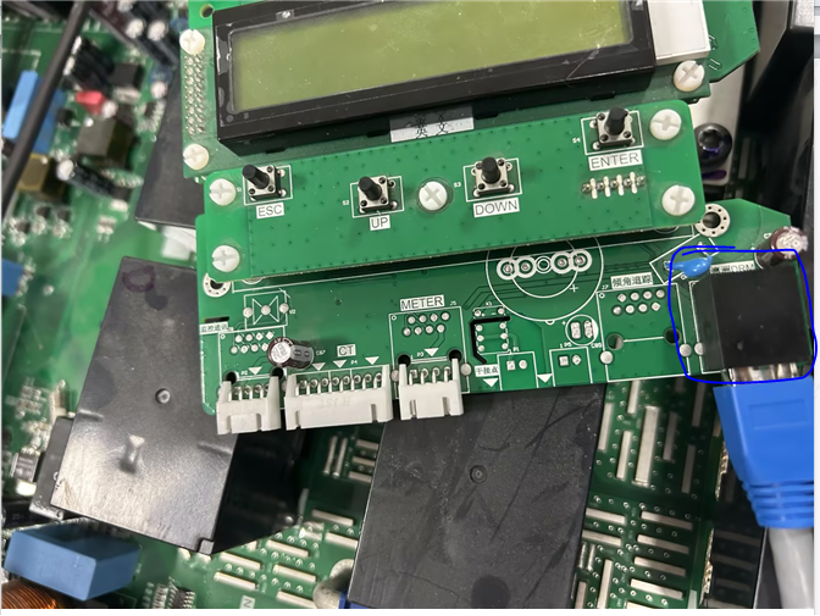
Step 2. Find the HMI board inside the cabinet as below
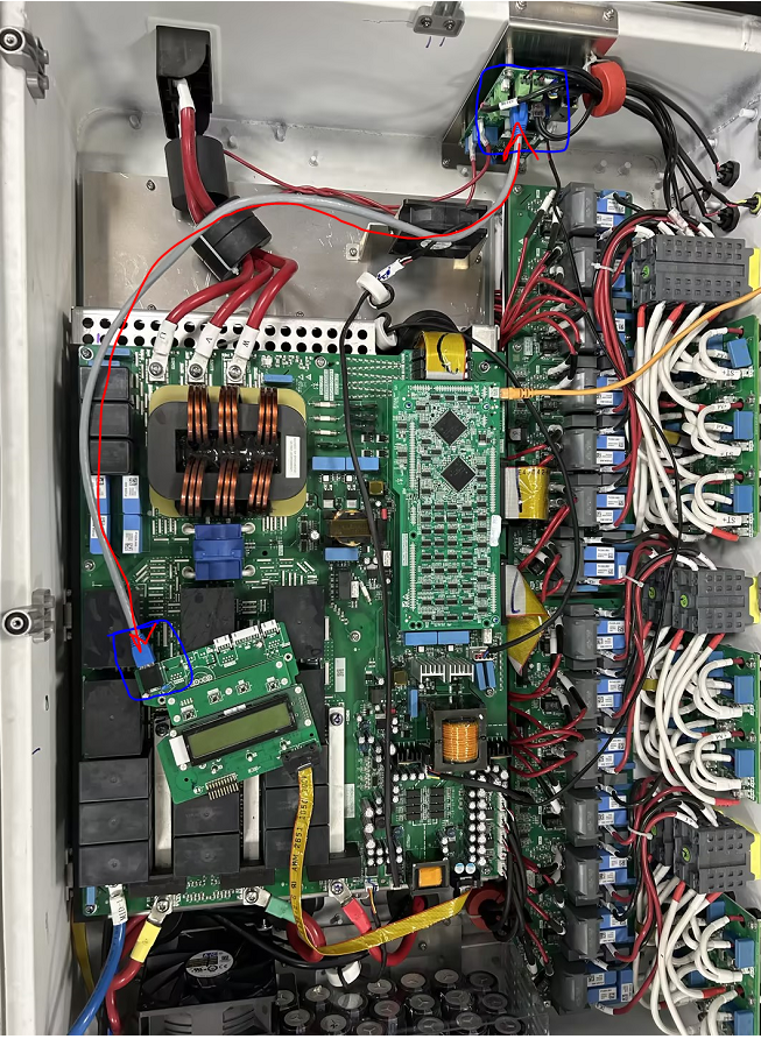
Step 3. Use the provided internet cable to connect one end to “DRM” port on COM board and another end to the “DRM” port on the HMI board. (No specific polarity required).
Step 4. Reassemble the inverter and power on inverter with DC. Find the following LCD path to set the DRM function enabled.
Advanced Setting -> 0010 -> STD Mode Setting -> DRM Settings -> DRM ON/OFF -> ON
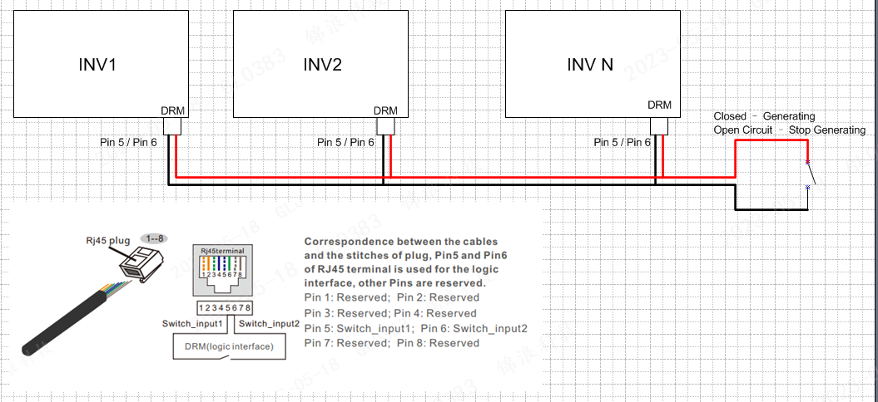
Step 5. After above wiring and setting configuration, using the Pin 5 and Pin 6 of the DRM port on the inverters can control the inverter to start to generate or shutdown.
Was this article helpful?
That’s Great!
Thank you for your feedback
Sorry! We couldn't be helpful
Thank you for your feedback
Feedback sent
We appreciate your effort and will try to fix the article